





Basic Operations
> Inserting and Removing the Memory Media
> Inserting the Memory Media

| Inserting the Memory Media |
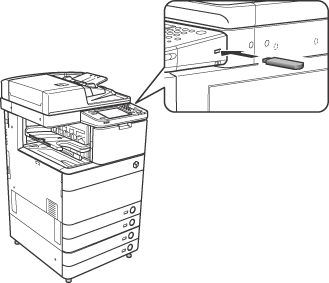
Insert the USB memory into the USB port on the right side of the control panel of the machine.
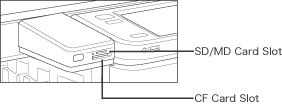
Insert the SD card and Memory Stick into the SD/MS card slot, and the CF card and Microdrive into the CF card slot.
A message indicating that the memory media is connected and the removal button ([
|
 ])are displayed on the touch panel display.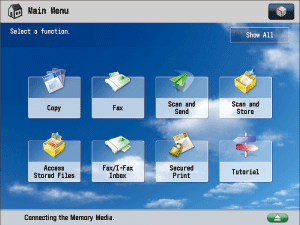
| Remark |
|
||||||