





Copy
> Overview of the imageRUNNER ADVANCE C5051/C5045/C5035/C5030
> Switching the Copy Basic Features Screen

| Switching the Copy Basic Features Screen |
|
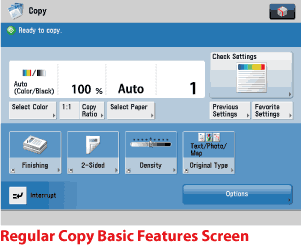
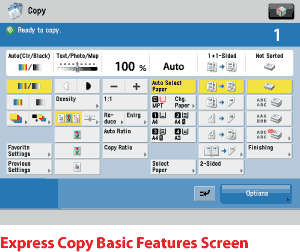
After the power is turned ON, the Main Menu screen appears on the touch panel display.Press [Copy] to display the Regular Copy Basic Features screen.From Settings/Registration, you can set the machine to display the Express Copy Basic Features screen. (See "Initial Function at Power ON.")
The Express Copy Basic Features screen simplifies the copying procedures of the Regular Copy Basic Features screen. |
| Remark |
|
|
|||||
 (Reset) on the Express Copy Basic Features screen, the display returns to the Express Copy Basic Features screen (default setting). Also, if you press