





Copy
> Making a Copy With the Express Copy Basic Features Screen
> Registering Frequently Used Copy Settings in Memory (Favorite Settings)
> Deleting Favorite Settings

| Deleting Favorite Settings |
|
For instructions on this procedure using the Regular Copy Basic Features screen, see "Deleting Favorite Settings." |
|
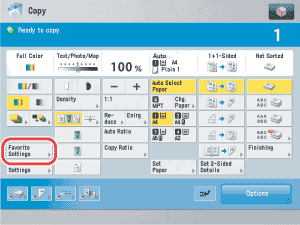
|
|
|