Fax > Using the Machine to Send/Receive a Fax > Scan Size Settings > Specifying the Scan Size

*
Specifying the Scan Size

Return to Overview


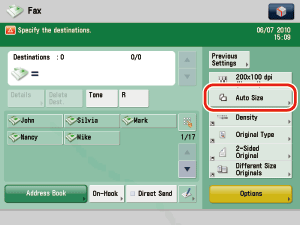
  1. Place your originals → press the Select Scan Size button.


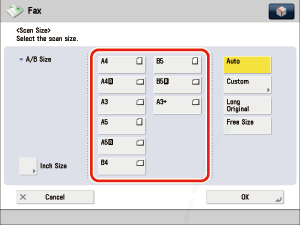
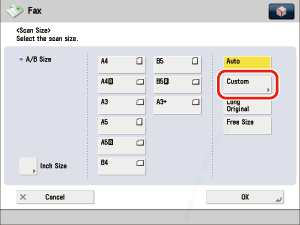
  1. Select the scan size.
  • If you want to scan a standard scan size:
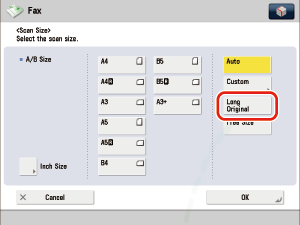
  • If you want to select a scan size longer than A3:
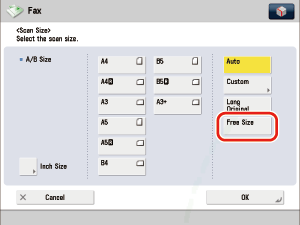
  • If you want to select a nonstandard scan size smaller than A3:
  • If you want to scan a nonstandard scan size:
  • If you want to scan a registered scan size:

  • If you want to scan a standard scan size:
  • Select the desired scan size.

If you want to scan an A3 original with an image that extends all the way to the edges without the periphery of the original being cut off, place the original on the platen glass → press [A3+]. (See "Basic Operations.")

  • To select an inch paper size, press [Inch-Size].

  • If you want to select a scan size longer than A3:
  • Press [Long Original].

  • If you want to scan nonstandard size originals longer than A3, press [Long Original]. The maximum length of originals that you can scan is 630 mm.
  • If you select [Long Original], place your originals into the feeder. You cannot specify the size for an original that is placed on the platen glass.

  • If you want to select a nonstandard scan size smaller than A3:
  • Press [Free Size].

  • You can scan two-sided originals.
  • If you select [Free Size], place your originals into the feeder. You cannot specify the size for an original that is placed on the platen glass.

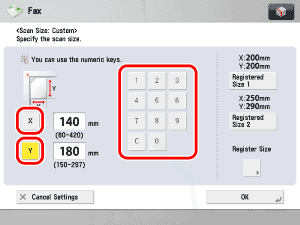
  • If you want to scan a nonstandard scan size:
  • Press [Custom].

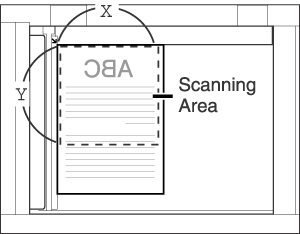
  • Press [X] (horizontal axis) → enter a value.
  • Press [Y] (vertical axis) → enter a value.


The Platen Glass


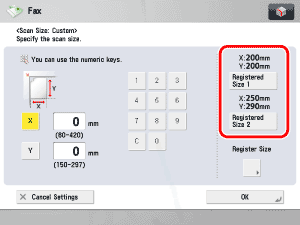
  • If you want to scan a registered scan size:
  • Press [Custom].
  • Press [Registered Size 1] or [Registered Size 2].

  • To select a registered scan size, you need to register the document size beforehand. (See "Registering the Scan Size.")
  • The registered scan size is displayed on top of the key in which it is registered.

  1. Press [OK].

  • Back To Top