|
- When loading paper, take care not to cut your hands on the edges of the paper.
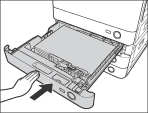
- A screen prompting you to load paper also appears if the selected paper drawer is not fully inserted into the machine. Make sure that the paper drawer is properly in place.
- Do not load the following types of paper into the paper drawers. Doing so may cause a paper jam.
- Severely curled or wrinkled paper
- Heavy 3 paper (210 to 256g/m2)
- Paper which has been printed on using a thermal transfer printer (Do not print on the reverse side of this paper either.)
|
|
 |
|
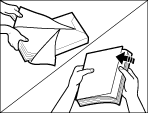
- Fan the stack of paper well before loading it. Paper such as thin paper, recycled paper, pre-punched paper, heavy paper, transparencies, and tab paper should be fanned particularly well before loading it.
- Never place paper or any other items in the empty part of the drawer next to the paper stack. Doing so may cause paper jams.
- If a message prompting you to load paper appears during printing, the remaining prints are automatically made after you load the correct paper. If you select another paper drawer, the remaining prints are made after you press [OK].
- To cancel printing, press [Stop].
|
|







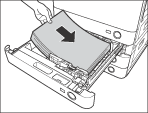
 ) at the back of the paper drawer.