This procedure is necessary only if the Feeder (Color Image Reader Unit-B1) is attached.
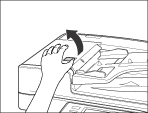
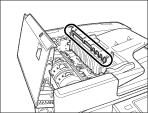
Pull the lever, and open the feeder cover.
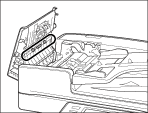
Clean the rollers (a total of three places) inside the feeder cover with a cloth dampened with water. Then, wipe the area with a soft, dry cloth.
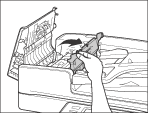
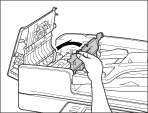
Open the inner cover, holding it by its front tab.
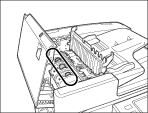
Clean the rollers (a total of three places) inside the inner cover with a cloth dampened with water. Then, wipe the area with a soft, dry cloth.
Clean the transparent plastic part of the inner cover with a cloth dampened with water. Then, wipe the area with a soft, dry cloth.
Close the inner cover.
When closing the inner cover, be careful not to get your fingers caught, as this may result in personal injury.
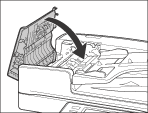
Close the feeder cover.
When closing the feeder cover, be careful not to get your fingers caught, as this may result in personal injury.
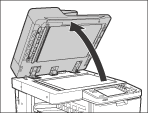
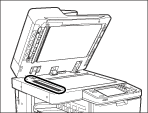
Lift the feeder.
Clean the feeder scanning area with a cloth dampened with water. Then, wipe the area with a soft, dry cloth.
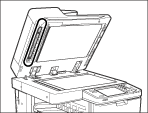
While turning the resin roller, clean the resin roller and the area around
the resin roller with a cloth dampened with water. Then, wipe the area with
a soft, dry cloth.
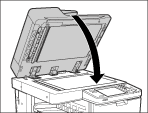
Close the feeder.
When closing the feeder, be careful not to get your fingers caught, as this may result in personal injury.
Be aware that the light emitted from the platen glass may be very bright when closing the feeder.