





Security
> Restricting the Send Function
> Setting to Always Add a Device Signature to PDF or XPS Documents

| Setting to Always Add a Device Signature to PDF or XPS Documents |
|
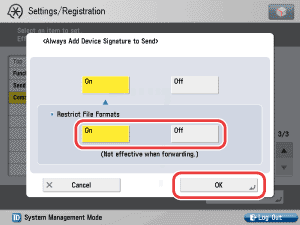
To "Settings/Registration Table" This mode enables you to set whether to always add a device signature to sent PDF or XPS documents. For information on the optional products required to use this function, see "Optional Products Required for Each Function." |
|
 (Settings/Registration) → [Function Settings] → [Send] → [Common Settings] → [Always Add Device Signature to Send].
Details of each item are shown below.
|
<Restrict File Formats>:
|
|