





Security
> Restricting the Send Function
> Restricting the Domains to Which E-Mail/I-Fax Documents Can Be Sent

| Restricting the Domains to Which E-Mail/I-Fax Documents Can Be Sent |
|
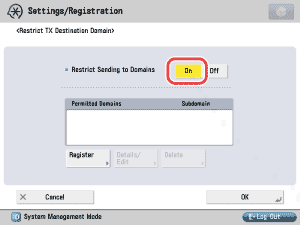
To "Settings/Registration Table" You can restrict the domains to which documents can be sent via e-mail or I-fax. If you restrict the domains for sending, you can send documents only to destinations that belong to the specified domains. For information on the optional products required to use this function, see "Optional Products Required for Each Function." |
|
 (Settings/Registration) → [Function Settings] → [Send] → [E-Mail/I-Fax Settings] → [Restrict TX Destination Domain].
If you select [Off], proceed to step 4. |
|
|
|
Details of each item are shown below. <Send to Subdomain>
|
|
|
Details of each item are shown below. <Send to Subdomain>
|
|
|
|