Scan and Store > Changing the Zoom Ratio > Preset Zoom

*
Preset Zoom

Return to Overview


The machine offers you a variety of preset zoom ratios to reduce or enlarge standard size originals to another standard record size.


Remark
  • Place the originals horizontally in the following cases:
  • If you are enlarging A4 originals to A3 or B4
  • If you are enlarging B5 originals to B4
  • If you are enlarging A5 originals to A3
  • Placing an original horizontally means setting the original with the longer side sideways. (See "Basic Operations.")
  • As an example, the procedure for scanning an original and storing it in a mail box is explained in this section.

  • Reduction

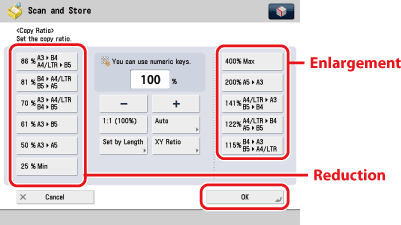
The available preset zoom ratios for reducing originals are:

  • A3 → B4 or A4/LTR → B5 (86 %)
  • B4 → A4/LTR or B5 → A5 (81 %)
  • A3 → A4/LTR or B4 → B5 (70 %)
  • A3 → B5 (61 %)
  • A3 → A5 (50 %)
  • Minimum (25%)*1
  • Enlargement

The available preset zoom ratios for enlarging originals are:

  • Maximum (400 %)*1
  • A5 → A3 (200 %)
  • A4/LTR → A3 or B5 → B4 (141 %)
  • A4/LTR → B4 or A5 → B5 (122 %)
  • B4 → A3 or B5 → A4/LTR (115 %)

*1only available for storing files in the Mail Box


  1. Select the desired Mail Box.
  1. Place your originals → press [Scan].
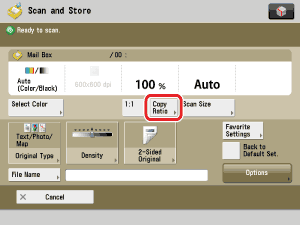
  1. Press [Copy Ratio].

  1. Select the desired zoom ratio → press [OK].

  1. Press (Start).

  • Back To Top