






| E-Mail Addresses |
|
 (Settings/Registration) → [Set Destination] → [Register Destinations] → [Register New Dest.].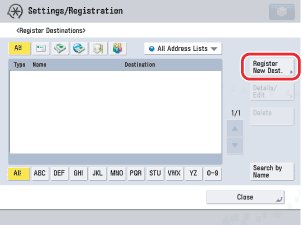
|
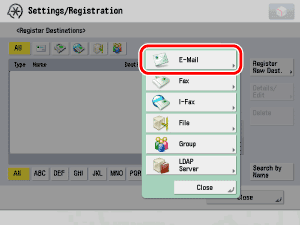
|
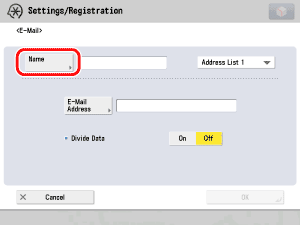
|
Address Lists 1 to 10 are used to divide the Address Book into 10. This is a convenient way to classify destinations. The e-mail address that you enter will be stored in the address list that you select here. |
|
Details of each item are shown below.
|
|
|
|
|
 -
-  (numeric keys).
If you do not want to set an access number for this destination, press [OK] without entering any number. |
|