Copy
> Making a Copy With the Express Copy Basic Features Screen
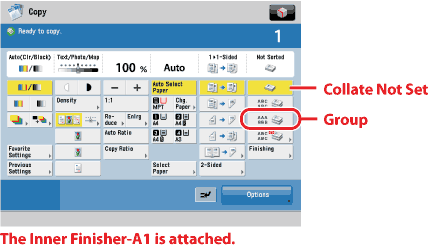
> Collating Copies into Groups of the Same Page (Group)

| Collating Copies into Groups of the Same Page (Group) |
|
For instructions on this procedure using the Regular Copy Basic Features screen, see "Same Page (Group)." |
| Remark |
|
||||||
Press [Collate Not Set] if you do not want to collate the output. If you want the copies slightly offset vertically in the output tray, press [Finishing] → [Offset]. If you want hole punches made, press [Finishing] → [Hole Punch]. If you want the copies to be output in alternating directions, press [Finishing] → [Rotate 90 Degrees].
|