






| Collating Copies |
|
The Finishing modes can be selected to collate the outputs in various ways, either by pages or copy sets. |
| Remark |
|
|
|||||
|
| Optional Unit | Offset | Rotate 90 Degrees | Staple | Hole Punch |
Saddle Fold |
||
| Corner | Double | Saddle Stitch |
|||||
| None | - |  A4, A4R, B5, B5R |
- | - | - | - | - |
| Copy Tray-J1 | - | A4, A4R, B5, B5R |
- | - | - | - | - |
| Inner Finisher-A1 | A3, B4, A4,A4R, B5, A5 |
- | A3, B4, A4R (30 sheets), A4, B5 (50 sheets) |
A3, B4, A4R (30 sheets), A4, B5 (50 sheets) |
- | - | - |
| Inner 2 Way Tray-F1 or Inner 2 Way Tray-F1 and Copy Tray-J1 |
- | A4, A4R, B5, B5R |
- | - | - | - | - |
| Staple Finisher-C1 | A3, B4, A4,A4R, B5, A5 |
- | A3, B4, A4R (30 sheets), A4, B5 (50 sheets |
A3, B4, A4R (30 sheets), A4, B5 (50 sheets |
- | - | - |
| Staple Finisher-C1 and Puncher |
A3, B4, A4,A4R, B5, A5 |
- | A3, B4, A4R (30 sheets), A4, B5 (50 sheets) |
A3, B4, A4R (30 sheets), A4, B5 (50 sheets) |
- | A3, B4, A4, A4R,B5, B5R |
- |
| Booklet Finisher-C1 | A3, B4, A4,A4R, B5, A5 |
- | A3, B4, A4R (30 sheets), A4, B5 (50 sheets) |
A3, B4, A4R (30 sheets), A4, B5 (50 sheets) |
A3, 457× 305mm,B4, A4R (15 sheets) |
- | A3, 457× 305mm,B4, A4R |
| Booklet Finisher-C1 and Puncher |
A3, B4, A4,A4R, B5, A5 |
- | A3, B4, A4R (30 sheets), A4, B5 (50 sheets) |
A3, B4, A4R (30 sheets), A4, B5 (50 sheets) |
A3, 457× 305mm,B4, A4R (15 sheets) |
A3, B4, A4, A4R,B5, B5R |
A3, 457× 305mm,B4, A4R |
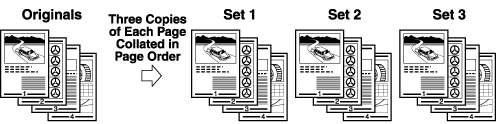
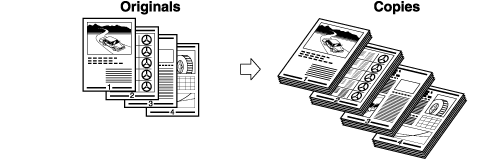
The copies are automatically collated into sets arranged in page order. The output is as follows:
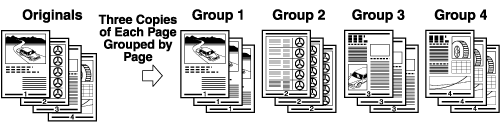
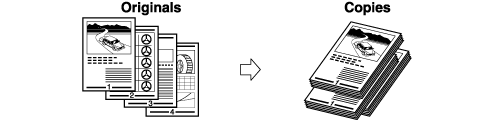
All copies of the same original page are grouped together. The output is as follows:
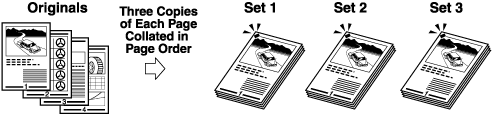
The copies are automatically collated into sets arranged in page order and stapled. The output is as follows:
|
| Remark |
|
|
|||||
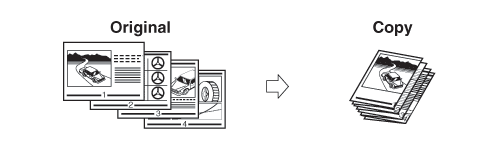
If the Collate, Group, and Staple modes are not set, copies are output as follows:
The machine punches two or more holes in the output.
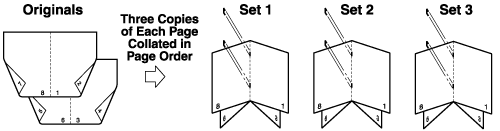
The machine folds A3 or A4R paper into A4 or A5 size, respectively.Copies are output as follows:
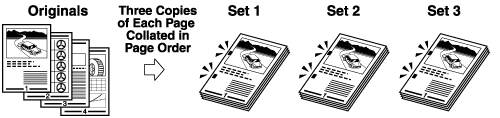
If the copies are of the same size, the sheets are automatically collated into sets arranged in page order, and are output in alternating directions as follows:
The copies are slightly offset vertically in the output tray as follows: (You can also specify the number of copy sets to offset.)
|
||||||||||||||||||||||


| Page Order (Collate) |
| Same Page (Group) |
| Page Order (Staple) |