Copy > Collating Copies > Page Order (Collate)

*
Page Order (Collate)

Return to Overview


  1. Place your originals → press [Options] → [Finishing].
  • If [Auto Collate] is set to 'On', the Collate or Offset Collate mode is automatically set when you place your originals in the feeder. (See "Auto Collate.")
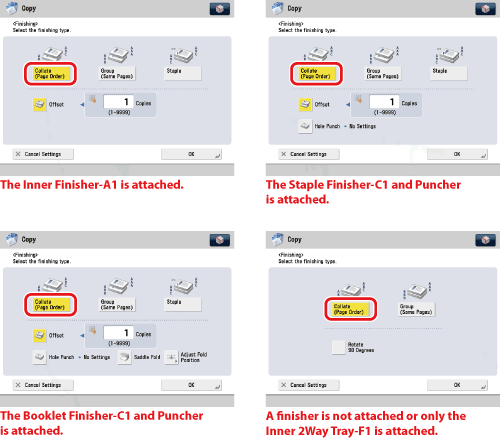
  1. Press [Collate (Page order)].

If you want to make hole punches, press [Hole Punch].

To perform saddle folding, press [Saddle Fold].

  • If you select [Rotate 90 Degrees]:

  • If you select [Rotate 90 Degrees]:
  • Press [Change] → select [A4] or [A4R] → press [OK].
  • [Rotate 90 Degrees] can be selected only in the following cases:
  • If the available paper size is selected manually
  • If the available paper size is loaded in both the horizontal and vertical directions
  • The selected paper source must have [Paper Drawer Auto Selection On/Off] set to 'On'. (See "Setting the Paper Drawer Auto Selection On/Off.")
  • If there is no paper which can be rotated, the output will be collated.

  1. Press [OK].
  1. Press .

  • Back To Top