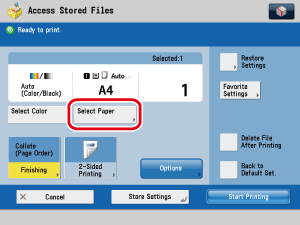
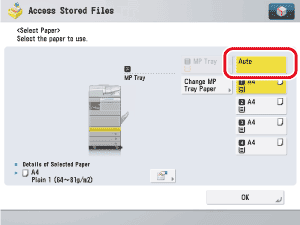
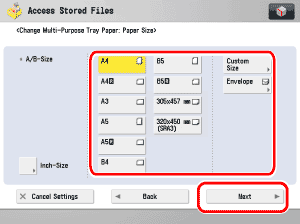
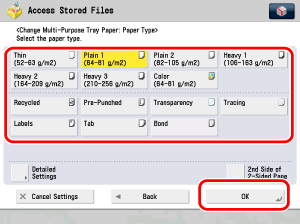
| |
- Select the desired paper size.
- If you select a nonstandard paper size, the Offset Collate, Offset Group, Staple, 2-Sided Printing, Booklet,
Cover, Insert Sheets, Job Separator, Superimpose Image, Page Numbering, Copy Set Numbering,
Watermark, Print Date, or Secure Watermark mode cannot be specified.
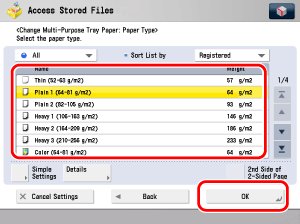
- The paper sizes/types are indicated by icons on the touch panel display, in the order in which they are loaded in the drawers.
- Icons indicating the type of paper loaded in each drawer can be displayed on paper selection screens, if you
store that information into the machine beforehand. (See "Registering/Editing Custom Paper Types.")
 indicates that the paper is set vertically, and indicates that the paper is set vertically, and  indicates that the paper is set horizontally. The suffix <R> (such as in A4R) used in paper size designations indicates that the paper is loaded in a drawer or the multi-purpose tray horizontally. indicates that the paper is set horizontally. The suffix <R> (such as in A4R) used in paper size designations indicates that the paper is loaded in a drawer or the multi-purpose tray horizontally.
- If you press
 , the detailed information of the selected paper is displayed. , the detailed information of the selected paper is displayed.
- You can use the following nonstandard size (custom size) paper:
- Paper drawer 1: 139.7 mm × 182.0 mm to 330.2 mm × 487.7 mm
- Paper drawer 2, 3, 4: 139.7 mm × 182.0 mm to 330.2 mm × 487.7 mm
|