






| Collating Prints |
|
The Finishing modes can be selected to collate the outputs in various ways, either by pages or print sets. For information on the optional products required to use this function, see "Optional Products Required for Each Function." |
| Remark |
|
|
|||||
|
 : Available : Available |
-: Unavailable |
| Optional Unit | Offset | Rotate 90 Degrees | Staple | Hole Punch | Saddle Fold | ||
| Corner | Double | Saddle Stitch | |||||
| None | - | A4, A4R, B5, B5R |
- | - | - | - | - |
| Copy Tray-J1 | - | A4, A4R, B5, B5R |
- | - | - | - | - |
| Inner Finisher-A1 | A3, B4, A4, A4R, B5 |
- | A3, B4, A4R (30 sheets), A4, B5 (50 sheets) |
A3, B4, A4R (30 sheets), A4, B5 (50 sheets) | - | - | - |
| Inner 2Way Tray-F1 or Inner 2Way Tray-F1 and Copy Tray-J1 |
- | A4, A4R, B5, B5R |
- | - | - | - | - |
| Staple Finisher-C1 | A3, B4, A4, A4R, B5 |
- | A3, B4, A4R (30 sheets), A4, B5 (50 sheets) |
A3, B4, A4R (30 sheets), A4, B5 (50 sheets) |
- | - | - |
| Staple Finisher-C1 and Puncher | A3, B4, A4, A4R, B5 |
- | A3, B4, A4R (30 sheets), A4, B5 (50 sheets) |
A3, B4, A4R (30 sheets), A4, B5 (50 sheets) |
- | A3, B4, A4, A4R, B5, B5R |
- |
| Booklet Finisher-C1 | A3, B4, A4, A4R, B5 |
- | A3, B4, A4R (30 sheets), A4, B5 (50 sheets) |
A3, B4, A4R (30 sheets), A4, B5 (50 sheets) |
305 × 457 mm, A3, B4, A4R (16 sheets) |
- | 305 × 457 mm, A3, B4, A4R |
| Booklet Finisher-C1 and Puncher | A3, B4, A4, A4R, B5 |
- | A3, B4, A4R (30 sheets), A4, B5 (50 sheets) |
A3, B4, A4R (30 sheets), A4, B5 (50 sheets) |
305 × 457 mm, A3, B4, A4R (16 sheets) |
A3, B4, A4, A4R, B5, B5R |
305 × 457 mm, A3, B4, A4R |
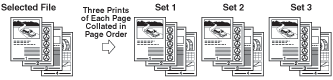
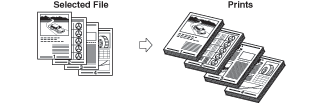
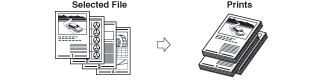
The prints are automatically collated into sets arranged in page order. The output is as follows:
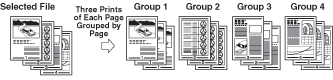
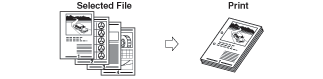
All prints of the same original page are grouped together. The output is as follows:
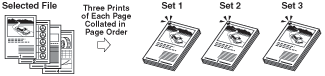
The prints are automatically collated into sets arranged in page order and stapled. The output is as follows:
|
| Remark |
|
|
|||||
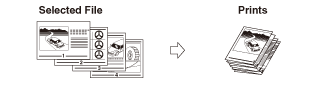
If the Collate, Group, and Staple modes are not set, prints are output as follows:
The machine punches two, three, or four holes in the output.
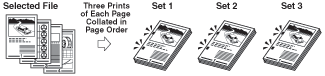
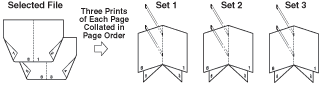
The machine folds A3 or B4 paper into A4 or B5 size, respectively. Prints are output as follows:
|
| Remark |
|
||||||
If the prints are of the same size, the sheets are automatically collated into sets arranged in page order, and are output in alternating directions as follows:
The print are slightly offset vertically in the output tray as follows: (You can also specify the number of print sets to offset.)
|

| Page Order (Collate) |
| Same Page (Group) |
| Page Order (Staple) |